The Smart Plug Upgrade That Makes Sense in a Rental
Our buying advice is based on published specifications and documented features. The shop links below go to official stores and currently contain no affiliate tracking. Read our disclosure.
Gear to consider
Start with your use case. Check the store for the current price, compatibility, and availability.
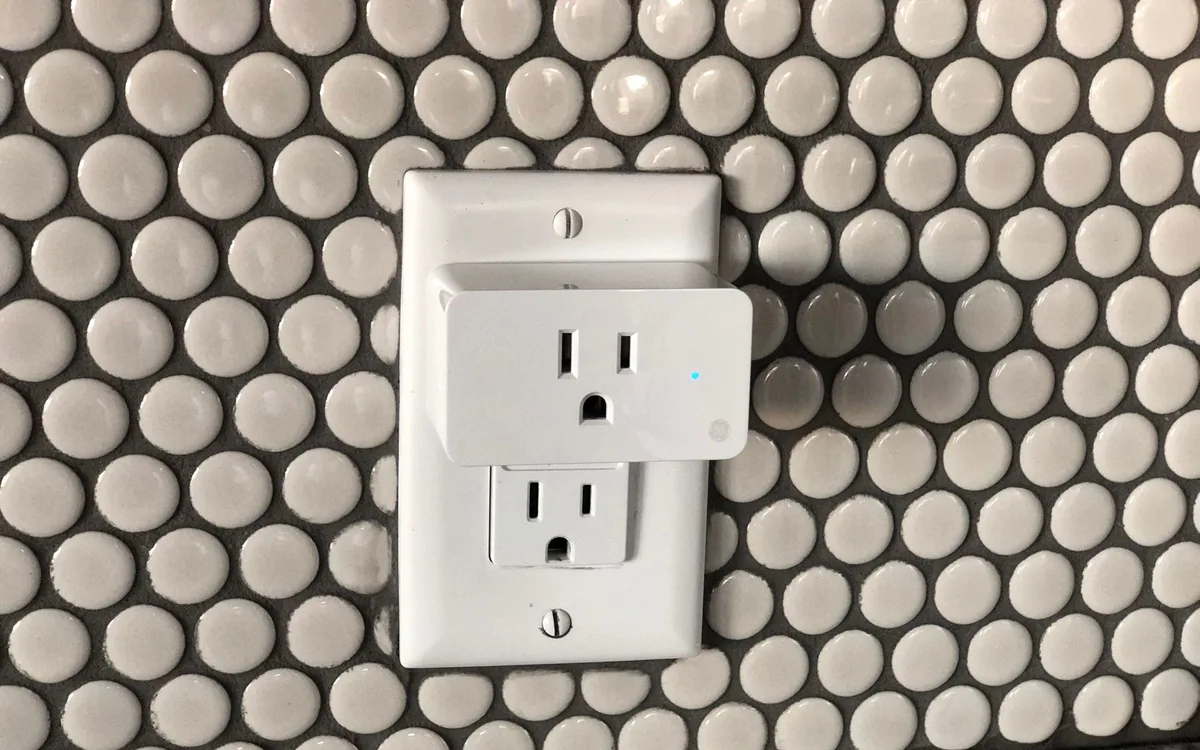
You get home carrying groceries, the hallway switch lights the wrong end of the room, and the lamp beside the sofa is hidden behind a chair. That is a good smart-plug problem. Replacing every socket in a rental is a much larger project with a different permission and installation burden.
A plug-in adapter can travel with you when the lease ends. The useful question is whether it improves a repeated moment in your day without making the appliance harder for everyone else to use.
| Your main need | Start with | Tradeoff |
|---|---|---|
| Fixed daily on/off time | A simple outlet timer | Less flexible when your routine changes |
| Remote control of a suitable lamp | A smart plug | Requires platform and network setup |
| Adjustable brightness or color | A compatible smart bulb | Needs power left on at its switch |
Choose the appliance before the app
Begin with a table lamp that has a mechanical switch. Leave that switch on, interrupt power at the outlet, then restore it. If the lamp lights again by itself, it is a promising candidate. A device that waits for a touch button or remote after power returns may gain little from a smart plug. Perform this simple check before ordering anything.
Keep the first installation modest. A reading lamp, decorative light, or other manufacturer-approved low-demand load is easier to reason about than heating equipment. Check the plug's rating and the appliance instructions together. A large number printed on a box does not establish suitability for every motor, heater, or appliance with special operating requirements.
Buy compatibility you will actually use
The US Tapo P125M page lists Matter support, 2.4 GHz Wi-Fi, scheduling, and a physical power button. Those are useful starting points for an existing Apple, Google, or Alexa household. Matter can reduce the need to choose every accessory from one brand, but setup still depends on your selected home platform and its requirements. Check those before treating a logo as a complete shopping list.
Do not import a regional plug because it looks cheaper. Socket shape, voltage, electrical approvals, and local support all matter. Also check the adapter's physical dimensions beside the neighboring outlet. A compact product can still interfere with a bulky power supply already plugged in next to it.
Make the room usable without your phone
Give the accessory a short room-based name, then add a schedule only after manual control behaves as expected. A bedtime shutoff is easy to understand; several overlapping schedules, location triggers, and voice routines are harder to troubleshoot. Let a housemate operate the lamp before adding the second automation. Their confusion usually reveals a real design problem.
Put the adapter where its button is reachable, or provide another obvious control supported by your ecosystem. Keep the ordinary lamp switch accessible and explain what happens if somebody turns it off. A useful connected room should still have a clear answer to the ordinary request to turn on the light.
Decide between a plug, bulb, and timer
A smart plug switches the entire connected load. It cannot make an ordinary bulb dim smoothly or change its color. For brightness control, a compatible smart bulb may be a better purchase. For several lamps that always operate together, examine an appropriately rated product designed for that arrangement rather than improvising a chain of adapters.
A mechanical or digital timer is worth considering when the only requirement is a fixed daily schedule. It avoids app accounts and platform setup. Conversely, a smart bulb is a poor fit for a fixture whose wall switch is constantly being turned off. Choose around the habits already present in the room, not the most elaborate feature list.
Plan for outages and the next move
Check the documented power-restoration behavior and observe it after a brief interruption with a suitable lamp attached. Decide whether an unexpected light turning on overnight would be annoying. Also verify what still works when your internet connection is unavailable; remote access and local control are different paths, and the behavior of your chosen controller matters.
Before moving out, remove the device from shared households and reset it using the manufacturer's procedure. Save the setup code somewhere private so a later installation is straightforward. Skip this purchase if your apartment already has convenient controls or if you cannot identify a routine worth automating. Buying one useful plug is better value than filling a drawer with a multipack.
Common questions
Can a smart plug dim my ordinary lamp?
A standard on/off model cannot. Use a compatible smart bulb or a product specifically designed and rated for dimming your lamp type.
Should I buy a multipack immediately?
Start with one. Confirm appliance behavior, outlet fit, network setup, and household acceptance before committing to several identical adapters.
Will this reduce my electricity bill?
That depends on what you control and how you use it. Do not buy a plug expecting a fixed saving; convenience is the clearer reason for this lamp example.
Sources & editorial notes
Manufacturer and support documentation checked for this guide. Features, regional availability, and prices can change. Our recommendations apply those documented features to everyday scenarios; they do not represent hands-on testing.
- TP-Link Tapo P125M official specifications · Checked 2026-10-19
Found an error? Tell the editorial desk with the article link and a supporting source.