iPad or Laptop for Evening Study: Choose Around the Assignment
Our buying advice is based on published specifications and documented features. The shop links below go to official stores and currently contain no affiliate tracking. Read our disclosure.
Gear to consider
Start with your use case. Check the store for the current price, compatibility, and availability.

Dinner is cleared, a course deadline is approaching, and you have an hour to read a chapter and submit an assignment. A tablet looks inviting on the sofa, but the submission also needs a spreadsheet, a reference manager, and a particular browser workflow. The device you enjoy opening must still finish the task.
The practical choice begins with the course requirements. Avoid paying for a premium processor before checking the software and file formats. This is a workflow comparison grounded in the current iPad product information, not a claim that we tested every learning platform.
| Study job | Tablet appeal | Laptop advantage |
|---|---|---|
| Reading and annotation | Touch and compatible stylus | Existing desktop library tools |
| Long written assignments | Portable with a keyboard | Flexible file and window workflows |
| Specialist coursework | Only after software confirmation | Broader desktop software support |
Audit one complete assignment
Take a recent assignment from beginning to submission. List the source material, the applications needed, and the final file format. Include the unglamorous steps: downloading a compressed folder, renaming a document, inserting a citation, attaching multiple files, and checking the submission receipt. These steps often expose a platform limitation faster than a processor comparison.
Ask the course provider about required desktop applications, examination software, browser extensions, and operating-system support. A web service opening on a tablet does not prove every feature works. If the provider cannot confirm a critical requirement, a conventional laptop is the safer primary device, even when a tablet would be nicer for reading.
Know when the tablet format earns its place
An iPad can be appealing for reading away from a desk, marking up documents, and organizing handwritten diagrams with a compatible stylus. These are reasons to buy a tablet format rather than simply a smaller computer. If you already own a dependable laptop, a tablet can complement it by taking over the reading and annotation portion of the evening.
Apple’s iPad 11-inch A16 is one option to investigate for that role. Apple’s comparison pages distinguish display sizes and accessory support across the range. Check the exact Pencil and keyboard compatibility before ordering; accessories with similar names are not interchangeable across every iPad generation. Match the accessory to the particular model, not just the advertised screen size.
Count the complete purchase, not the starting price
Add the keyboard, stylus, case, storage choice, and any application subscription needed for your actual workflow. A tablet that looks inexpensive on its own may land near a laptop once you assemble a comfortable study kit. Conversely, an existing Bluetooth keyboard and a basic stand may be sufficient if annotation is occasional.
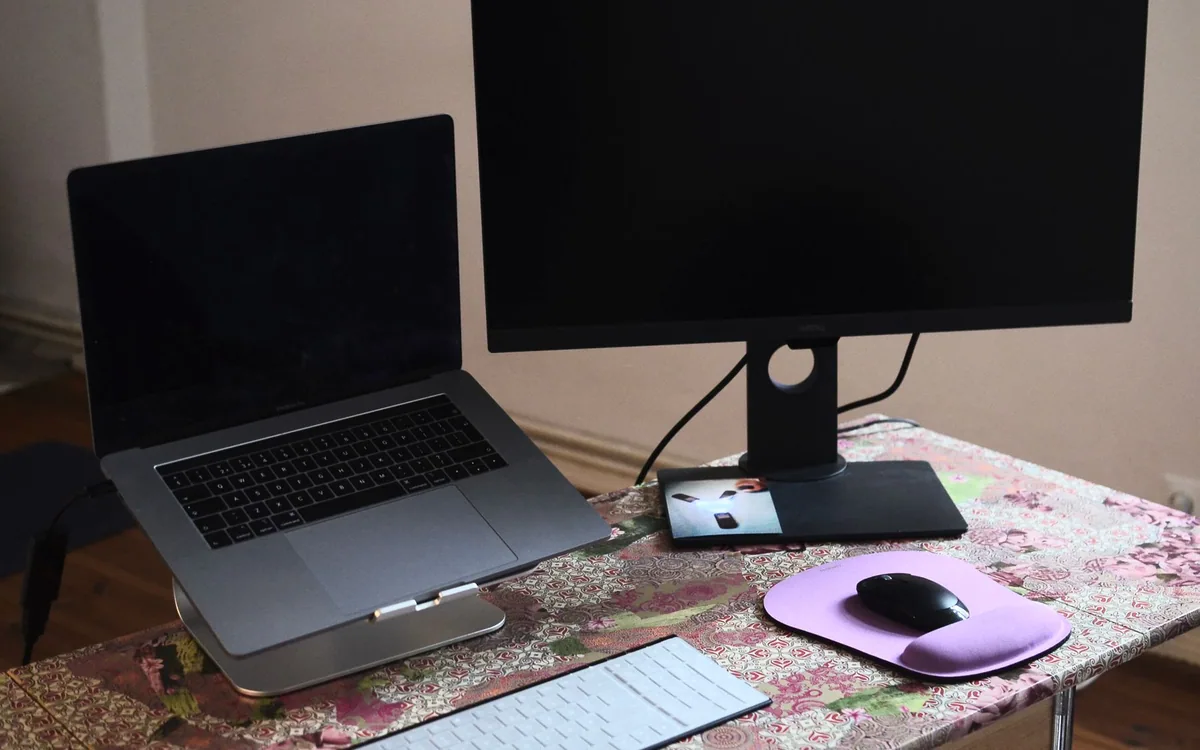
Budget for how you work at home. A keyboard case is convenient on a small table but may feel different from a laptop when balanced on your knees. A separate keyboard gives more positioning freedom but creates another item to pack. Choose around the location where you study most often rather than the cleanest photograph on the product page.
Separate reading comfort from multitasking needs
A larger display can reduce the need to switch between a textbook and notes, but it also adds weight and occupies more of a small desk. Try reading a sample page at a realistic text size before assuming the largest screen is necessary. If most reading is plain text, font adjustment may matter more than physical screen size.
For long writing sessions, consider how many windows you need visible, how frequently you copy references, and whether external displays are part of the setup. Features vary with the device and software version. Verify your intended arrangement with official documentation rather than assuming a tablet automatically behaves like the laptop you already know.
Make the choice with a realistic evening rehearsal
If possible, borrow the device or use a return period to complete a noncritical assignment. Open the learning platform, annotate a sample file, create the requested output, and upload it. Keep the old device available until you have verified the complete process. A quick store demonstration cannot establish whether a deadline-night workflow is dependable.
Choose the laptop when the device must cover uncertain coursework, specialized desktop software, and substantial document production. Choose an iPad when the verified workflow benefits from touch and handwriting, particularly alongside an existing computer. Spending less on the device and leaving room for the right input accessories can produce a more useful study setup than buying the highest tier first.
Common questions
Is more storage always the better upgrade?
Choose enough for offline course materials and the applications you need, with room to spare. Check what can be archived elsewhere. More storage does not solve an application or examination-platform compatibility problem.
Can an iPad be my only study device?
Yes for some courses, after you verify the full assignment and submission workflow. When the course requires desktop-only software or its requirements are uncertain, keep access to a supported computer.
Sources & editorial notes
Manufacturer and support documentation checked for this guide. Features, regional availability, and prices can change. Our recommendations apply those documented features to everyday scenarios; they do not represent hands-on testing.
- Apple: iPad 11-inch A16 · Checked 2026-10-19
- Apple: compare iPad models and accessories · Checked 2026-10-19
Found an error? Tell the editorial desk with the article link and a supporting source.