Before Buying a Video Doorbell for Your Apartment, Check the Door
Our buying advice is based on published specifications and documented features. The shop links below go to official stores and currently contain no affiliate tracking. Read our disclosure.
Gear to consider
Start with your use case. Check the store for the current price, compatibility, and availability.
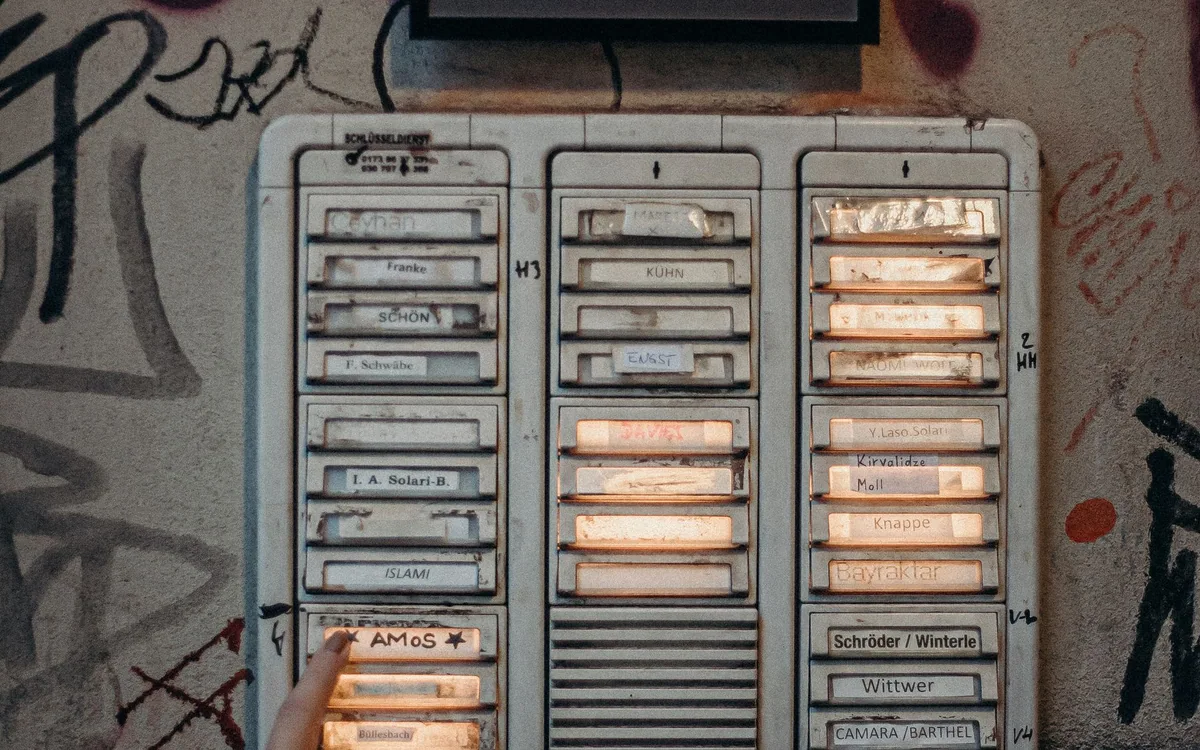
A delivery arrives while you are on a call. By the time you reach the door, the courier is gone and the package is somewhere outside the frame of the ordinary peephole. A video doorbell sounds like a direct fix until you notice the narrow frame, shared corridor, and lease clause about altering doors.
An apartment installation starts with the entrance itself. A camera that looks excellent on a detached house may be awkward or inappropriate a few feet from a neighbor's front door.
| Decision | Check before purchase | Common hidden cost |
|---|---|---|
| Battery installation | Mount clearance and removal access | Battery maintenance |
| Wired installation | Compatible power and permission | Installation work |
| Event recording | Retention and export requirements | Storage plan or memory card |
Get the installation constraints in writing
Read your lease and building rules, then ask the manager about the particular mounting method and view you intend to use. Permission to attach a removable accessory does not automatically settle whether recording in a shared hallway is acceptable. Rules and local requirements differ, so treat this as a specific check for your address rather than a generic promise that renters can install any battery doorbell.
Measure the available surface and the space between the door and frame. Open the door fully and consider closers, weather seals, security plates, and shared-entry arrangements. An over-door bracket that interferes with the seal or creates a snag is not a satisfactory workaround. A building intercom upgrade or delivery instructions may be the more useful route.
Compare the view with the actual problem
Decide whether you need to identify a caller, see a package on the floor, or hear a knock while wearing headphones. These require different framing and notification behavior. A wide horizontal view may include plenty of corridor while missing the space immediately below the camera. Look for sample framing information and placement guidance for the exact model before assuming a headline resolution solves the problem.
For a shared hallway, aim to minimize unnecessary coverage and consider available activity-zone and privacy settings. Reflections, bright windows behind visitors, and very close faces can complicate the picture. This is a buying checklist based on installation geometry; we have not tested the doorbell at your entrance or measured its image quality.
Understand battery and wired behavior separately
Aqara's G4 supports battery or wired power and includes an indoor chime repeater. Its official documentation distinguishes continuous local recording in wired mode from battery operation. That distinction matters more than comparing an idealized battery-life claim across brands. Frequent hallway traffic can produce a very different maintenance routine from a quiet porch.
If existing wires are present, do not assume their power supply is compatible. Compare the documented electrical requirements and installation procedure, and use qualified help when appropriate. For battery operation, check how you remove or recharge the power source and whether you can perform that task without dismantling an elaborate bracket. Include replacement batteries or other consumables in the ownership budget.
Price the recording workflow, not just the doorbell
Separate live viewing, notifications, event clips, continuous recording, and export. A product can provide one without including all the others. The G4 has a local-storage option in its chime, while Apple HomeKit Secure Video has separate Apple service requirements. Read the current terms for the path you intend to use instead of interpreting a broad no-subscription headline as every feature being included forever.
Place the indoor chime where its power and wireless connection are dependable. Confirm that the household members who answer the door can access the chosen app. If the phone notification arrives during meetings, a sensible quiet-hours routine may matter more than another detection setting. A recording you cannot find or share easily is less useful than the feature list suggests.
Choose a modest solution and know when to skip
Buy only after verifying the view, mount, power method, storage path, and return conditions. Keep the first configuration restrained: necessary alerts, a clear chime, and a retention choice you understand. Excessive motion alerts can train you to ignore the very notification you bought the doorbell to receive. A busy apartment corridor makes that especially likely.
Skip a camera if building rules prohibit it, the view cannot avoid intrusive coverage, or the entrance cannot accommodate a secure mount. A plain wireless chime may solve a missed-knock problem at lower cost. For package theft, delivery lockers or staffed collection can address the handoff itself rather than merely record that it went wrong.
Common questions
Does battery power guarantee a renter-friendly installation?
No. Mounting permission, building rules, hallway privacy, and safe door operation still need checking.
Can G4 record continuously on batteries?
Aqara specifies wired power for its continuous local recording mode. Confirm the exact configuration and storage requirements before purchase.
Will a camera prevent a missing delivery?
It may help you respond or review an event, but it cannot guarantee delivery security. Consider collection options alongside the camera.
Sources & editorial notes
Manufacturer and support documentation checked for this guide. Features, regional availability, and prices can change. Our recommendations apply those documented features to everyday scenarios; they do not represent hands-on testing.
- Aqara G4 official product and power-mode information · Checked 2026-10-19
Found an error? Tell the editorial desk with the article link and a supporting source.