A USB Microphone for Evening Calls: Fix the Setup Before Buying More Gear
Our buying advice is based on published specifications and documented features. The shop links below go to official stores and currently contain no affiliate tracking. Read our disclosure.
Gear to consider
Start with your use case. Check the store for the current price, compatibility, and availability.
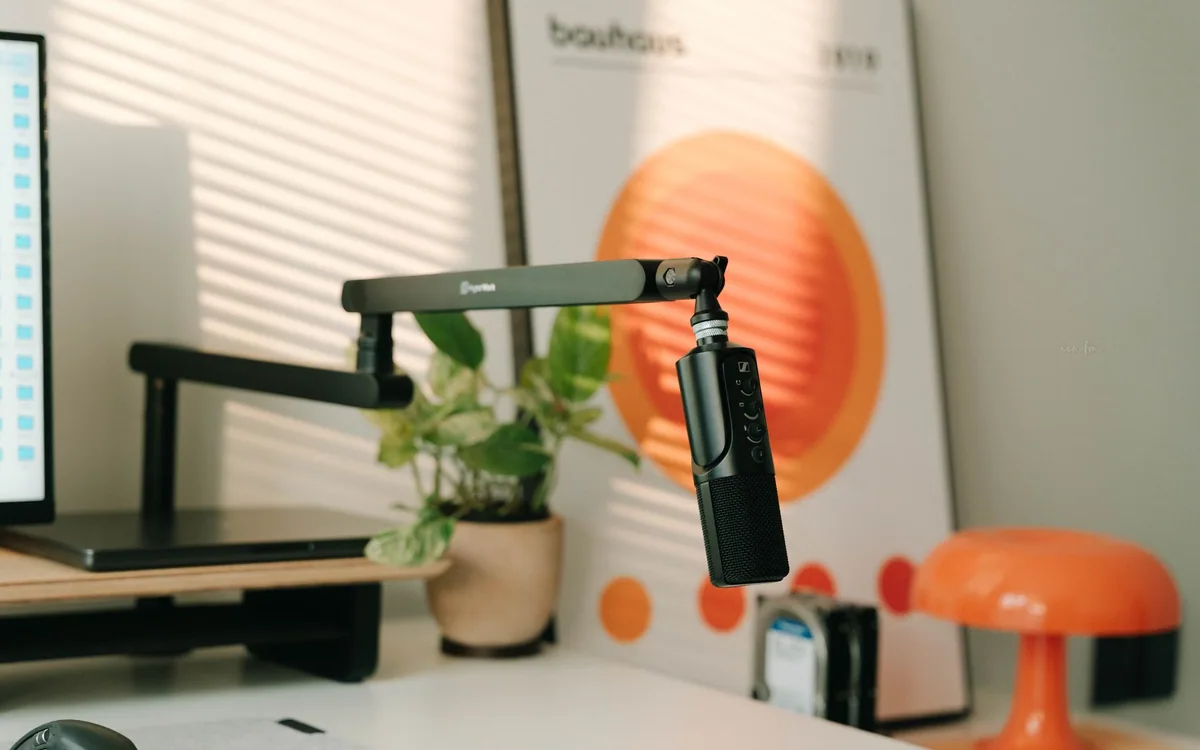
An evening call often happens in a room that was not designed as an office: a kitchen table, a corner of the bedroom, or a desk beside a hard wall. Buying a large microphone is tempting when your voice sounds distant. Yet a new microphone across the same table may preserve the same problem.
This guide starts with the physical setup and uses manufacturer documentation for the hardware examples. Samson Q2U provides USB and XLR connectivity plus direct headphone monitoring. Logitech H390 is the integrated headset alternative. We have not made comparative recordings or measured noise rejection, so the recommendations focus on which arrangement is easier to use well.
Move the microphone before replacing it
Begin with a short private recording using your current equipment and normal speaking voice. Move closer within the device instructions, reduce avoidable background noise, and compare the result. Do not record another person without their permission. The aim is to identify distance, echo, or routing problems rather than judge a product by how large it looks.
Soft furnishings and a position away from a bare corner may be practical improvements in a shared room. You do not need to turn the home into a studio for ordinary calls. Shut a noisy door when appropriate, stop a nearby fan if comfortable, and avoid placing the microphone directly beside a keyboard you use constantly.
Choose between a fixed microphone and a moving one
A desk microphone suits someone who remains in a predictable speaking position. A headset microphone moves with the wearer, which may help if you lean away to read notes or turn toward another screen. Those are workflow differences, not a claim that either product automatically sounds better in every room.
The H390 combines the listening and speaking hardware and offers inline controls. Check whether the USB-A or USB-C version suits your computer. A separate Q2U plus headphones uses more space and requires separate decisions about output, microphone placement, and cable routing, but it leaves room for recording projects beyond meetings.
What the Q2U features are useful for
Samson identifies Q2U as a dynamic cardioid microphone with USB and XLR outputs. USB lets a suitable computer use it without a separate audio interface; XLR provides a path to an interface or mixer later. Buying that future path makes sense only if you can name a realistic reason to need it.
Its headphone output supports direct monitoring. That lets you hear the microphone locally without waiting for software monitoring, but it does not measure the quality reaching the other end of a call. Meeting software, input selection, processing, and the connection remain part of that path. Check the actual computer setup as well as the hardware.
Give placement and muting their own checklist
Arrange the microphone where you can keep a steady distance without hunching over. Follow the manufacturer orientation guidance; different microphone bodies do not all receive sound from the same direction. If a stand interferes with your keyboard or dinner plate, solve that space problem before ordering additional accessories.
Know which control mutes which path. A physical switch, an operating-system control, and the meeting application may each behave differently. Make a private test recording to confirm the result, and check the on-screen mute state before speaking privately. An accessory is only convenient if its everyday controls are clear.
Build the smallest complete setup
For ordinary calls, begin with the microphone or headset, the correct connection, and a stable position. Add an arm only if the supplied position does not work on your table. Add an interface only when an actual XLR task requires one. Avoid buying a bundle of recording accessories before learning what the room needs.
After purchase, select the intended input and output in each calling application, make a short check, and save a repeatable arrangement. If another person still hears a problem, ask whether it is low level, echo, dropouts, or background noise; each points to a different fix. Consult the current official pages before ordering the named examples.
Common questions
Do I need an audio interface for Q2U?
Its USB output provides a computer connection without a separate interface. An XLR setup needs suitable additional equipment. Check your exact computer ports, cable, operating system, and intended software before ordering.
Will a dynamic microphone remove all room noise?
No microphone specification promises that result. Distance, orientation, gain, room sound, and software processing still matter. Establish a workable position and listen to a private recording rather than expecting the microphone type to solve the whole room.
Should I buy an arm immediately?
Only if you need it for consistent placement or to clear the work surface. Check mounting compatibility, table thickness, and clearance first. A microphone arm that blocks the screen adds a different problem.
Sources & editorial notes
Manufacturer and support documentation checked for this guide. Features, regional availability, and prices can change. Our recommendations apply those documented features to everyday scenarios; they do not represent hands-on testing.
- Samson Q2U official connections and monitoring specifications · Checked 2026-10-19
- Logitech H390 official connection options and controls · Checked 2026-10-19
Found an error? Tell the editorial desk with the article link and a supporting source.